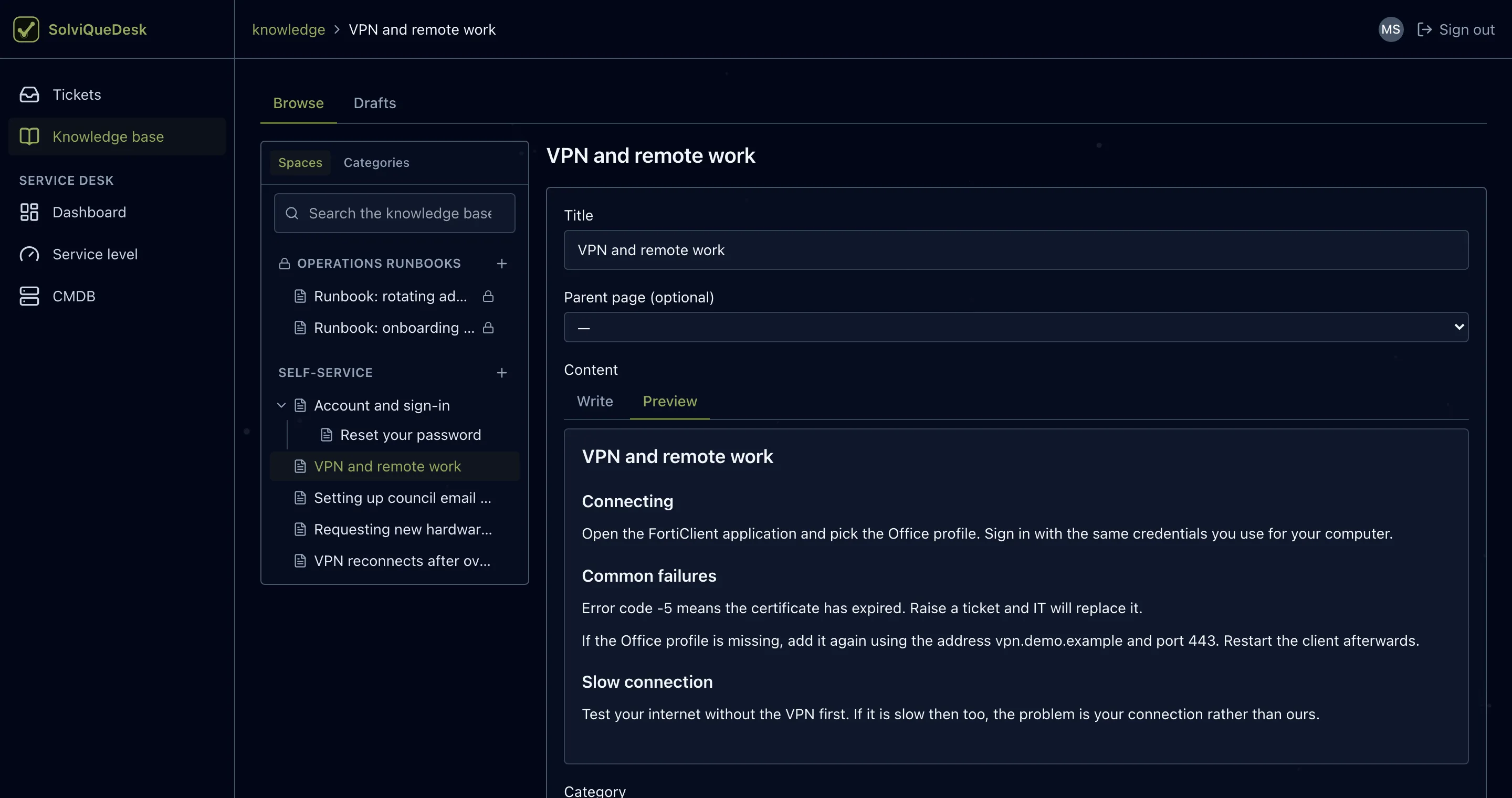
Knowledge base
Knowledge your team can build on.
Organize articles in spaces and categories, keep internal runbooks restricted and give AI assistance relevant knowledge to work from.
Tickets, a knowledge base and AI-assisted support in one internal service desk — with a technician ready when the knowledge isn’t the right fit.
A walkthrough first. A pilot if it fits.
Guided demo → scoped pilot
A short form. Tell us about your company; leave out sensitive data.
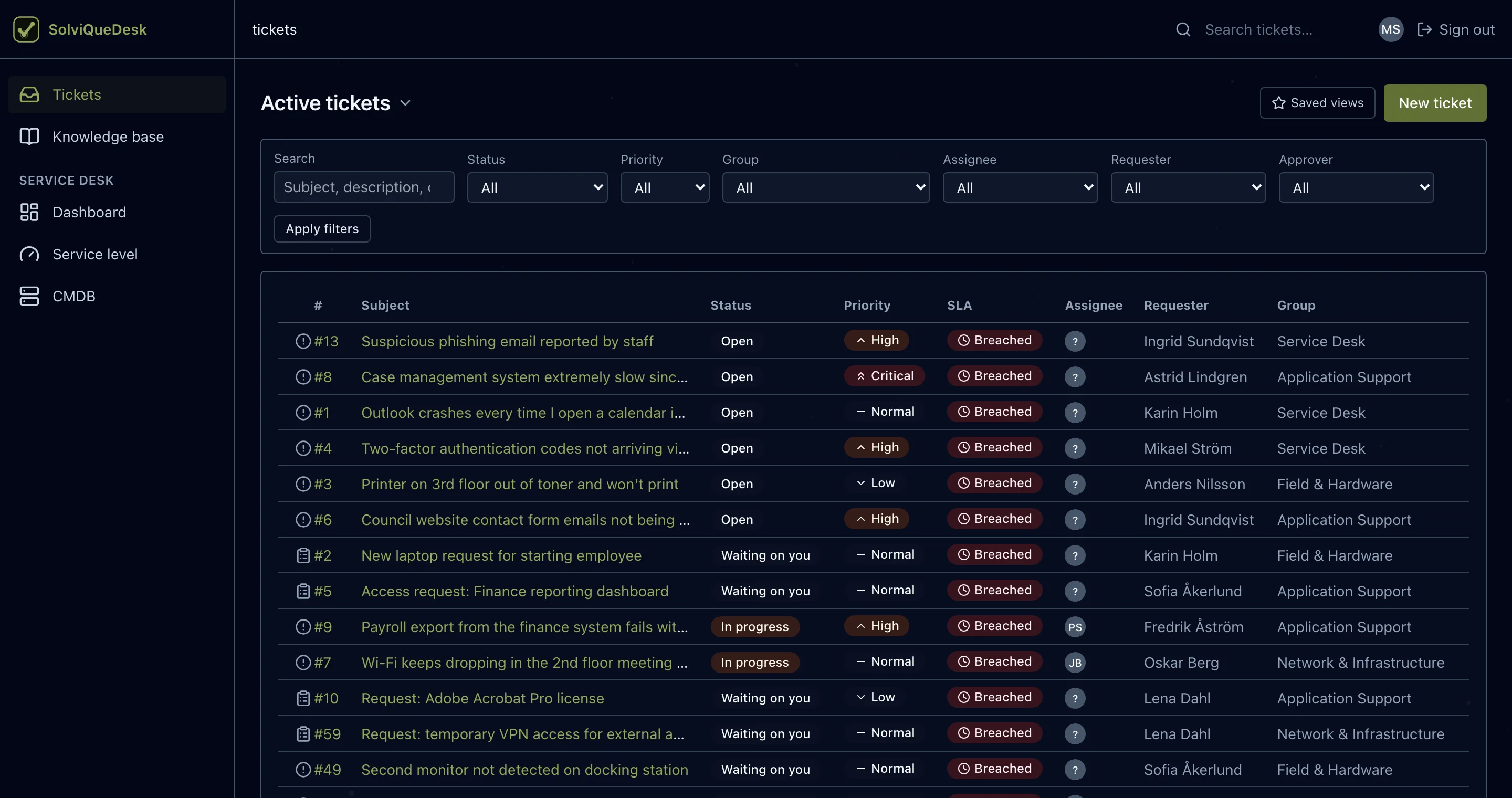
Tickets
Filter by status, priority, group, assignee, requester or approver, then save the filter combinations your team uses every day as one-click shortcuts. SLA state is visible on every row.
Knowledge base
Organize articles in spaces and categories, keep internal runbooks restricted and give AI assistance relevant knowledge to work from.
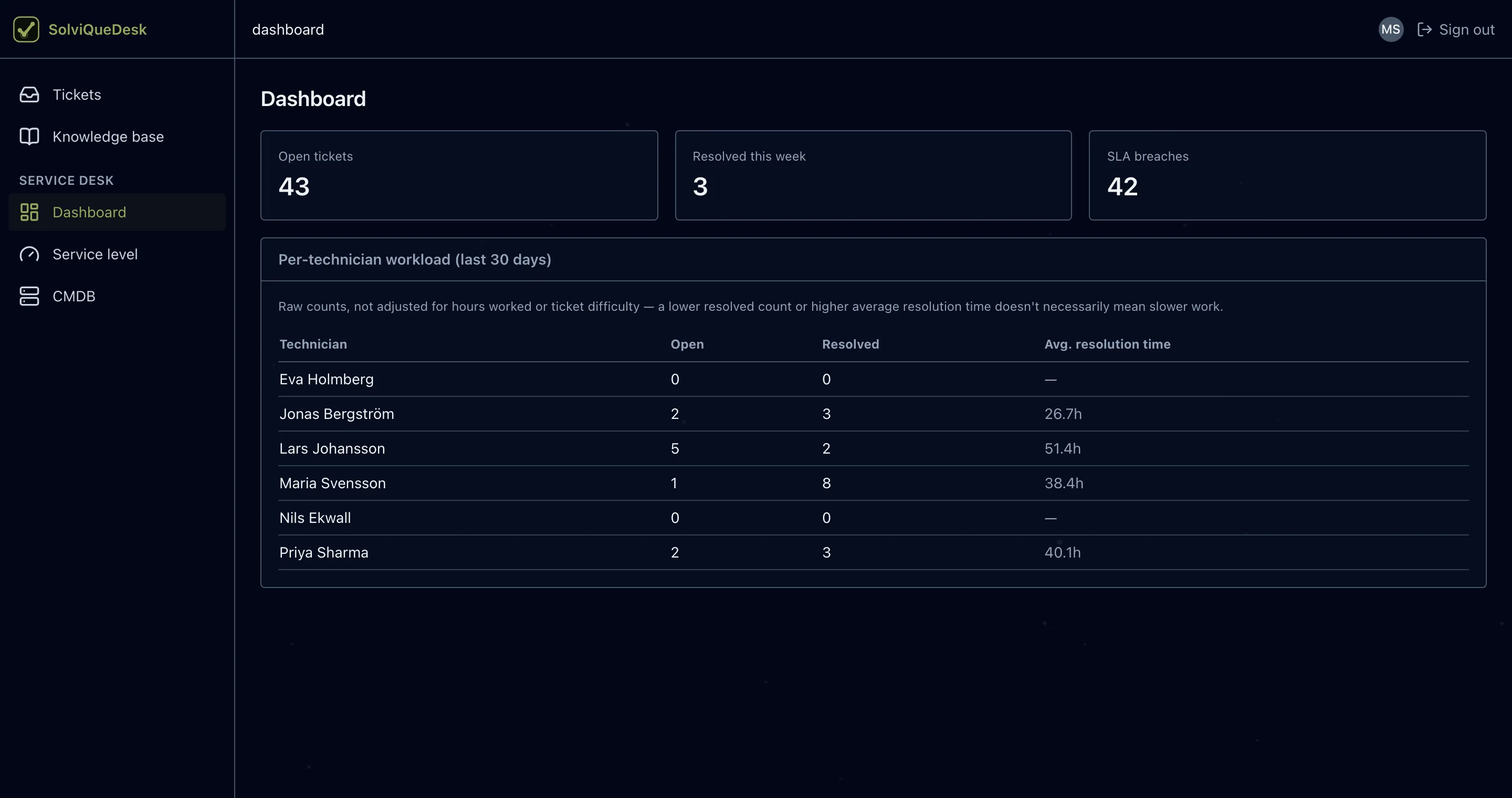
Dashboard
Open tickets, resolved this week and SLA breaches up front, with a per-technician view of open and resolved work.
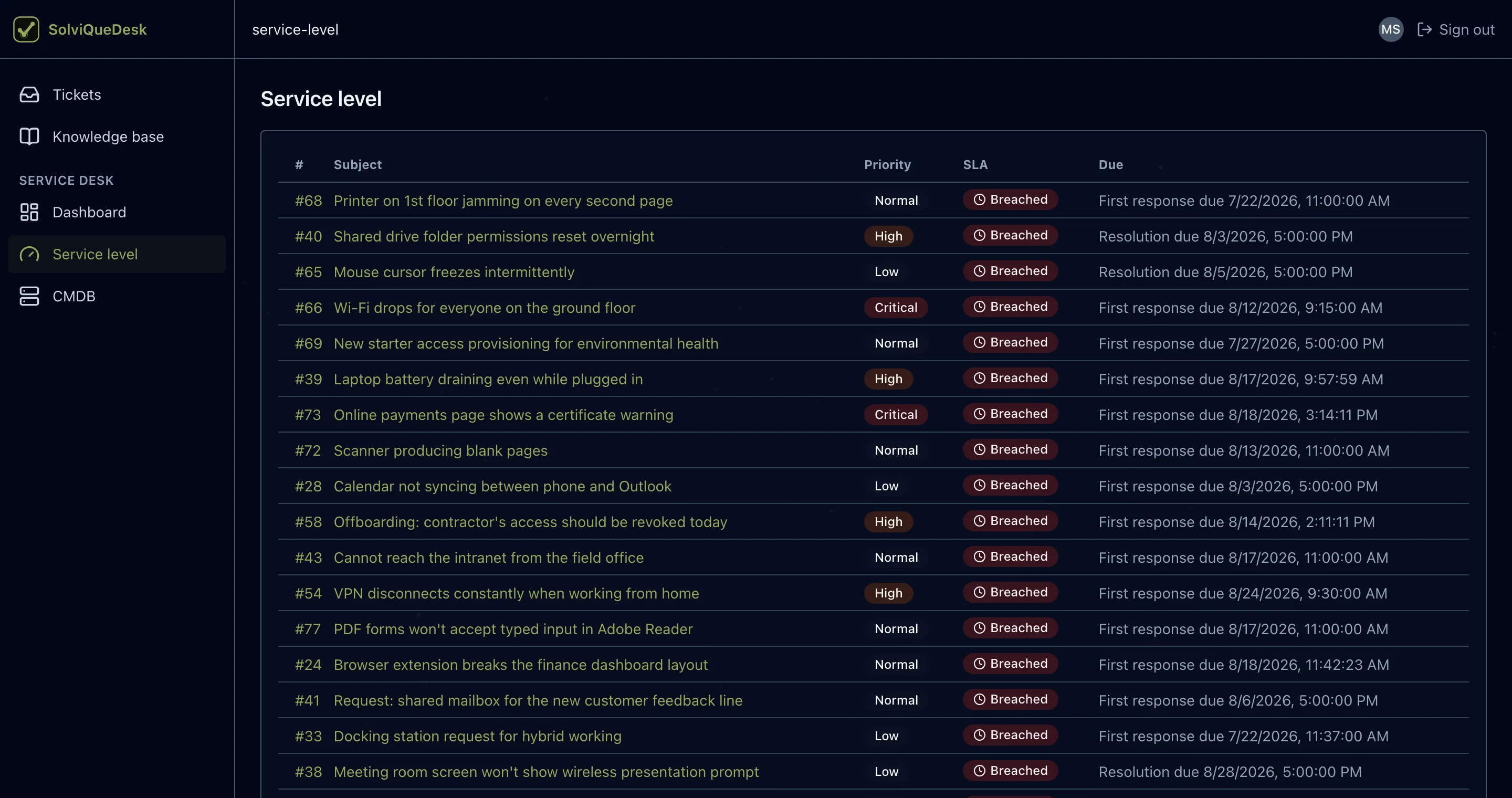
Service level
Track first-response and resolution targets per ticket, so the requests closest to breaching get attention first.
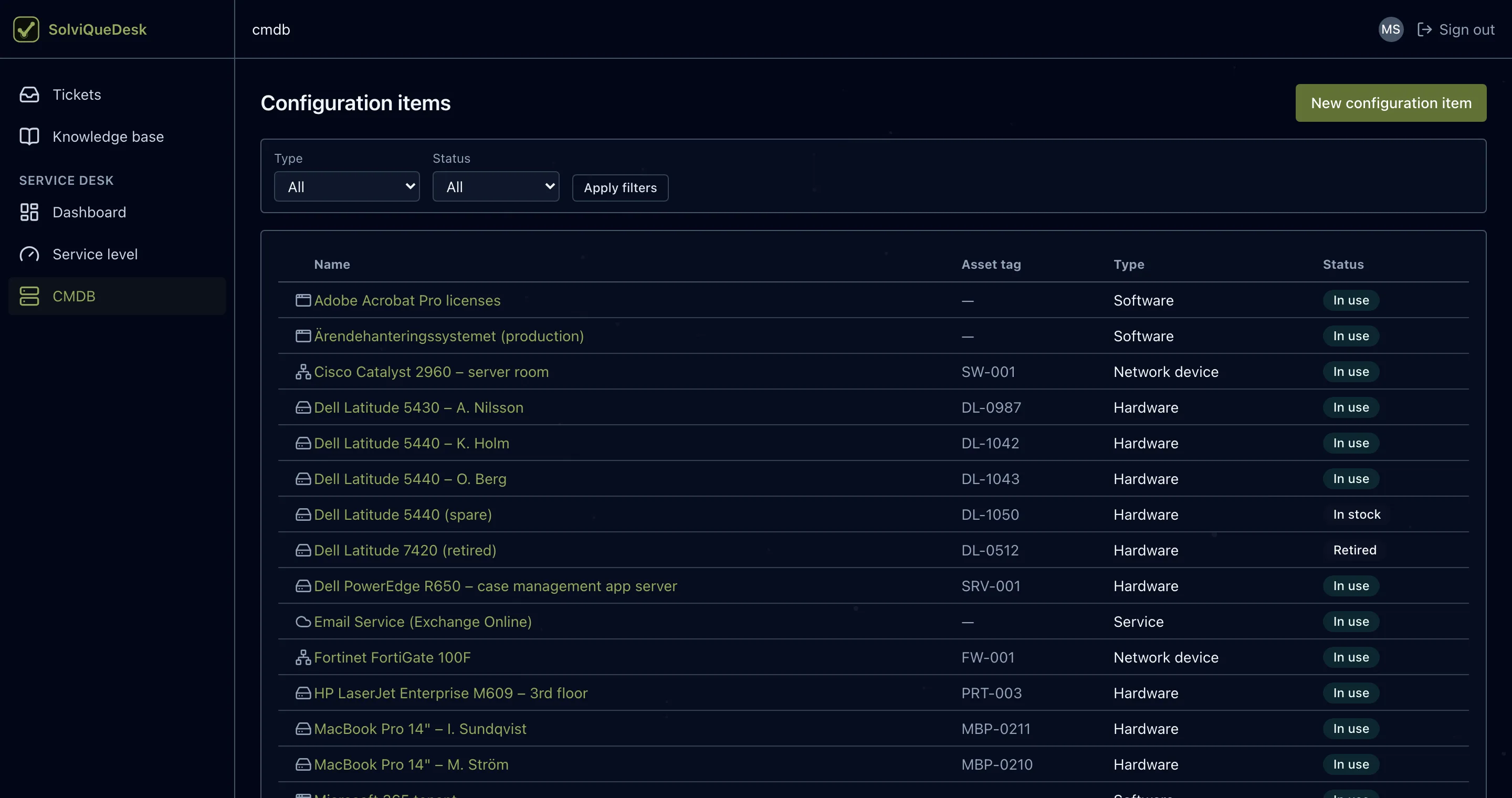
CMDB
Keep configuration items — laptops, servers, network devices, licenses and services — in the same system as the tickets that concern them.
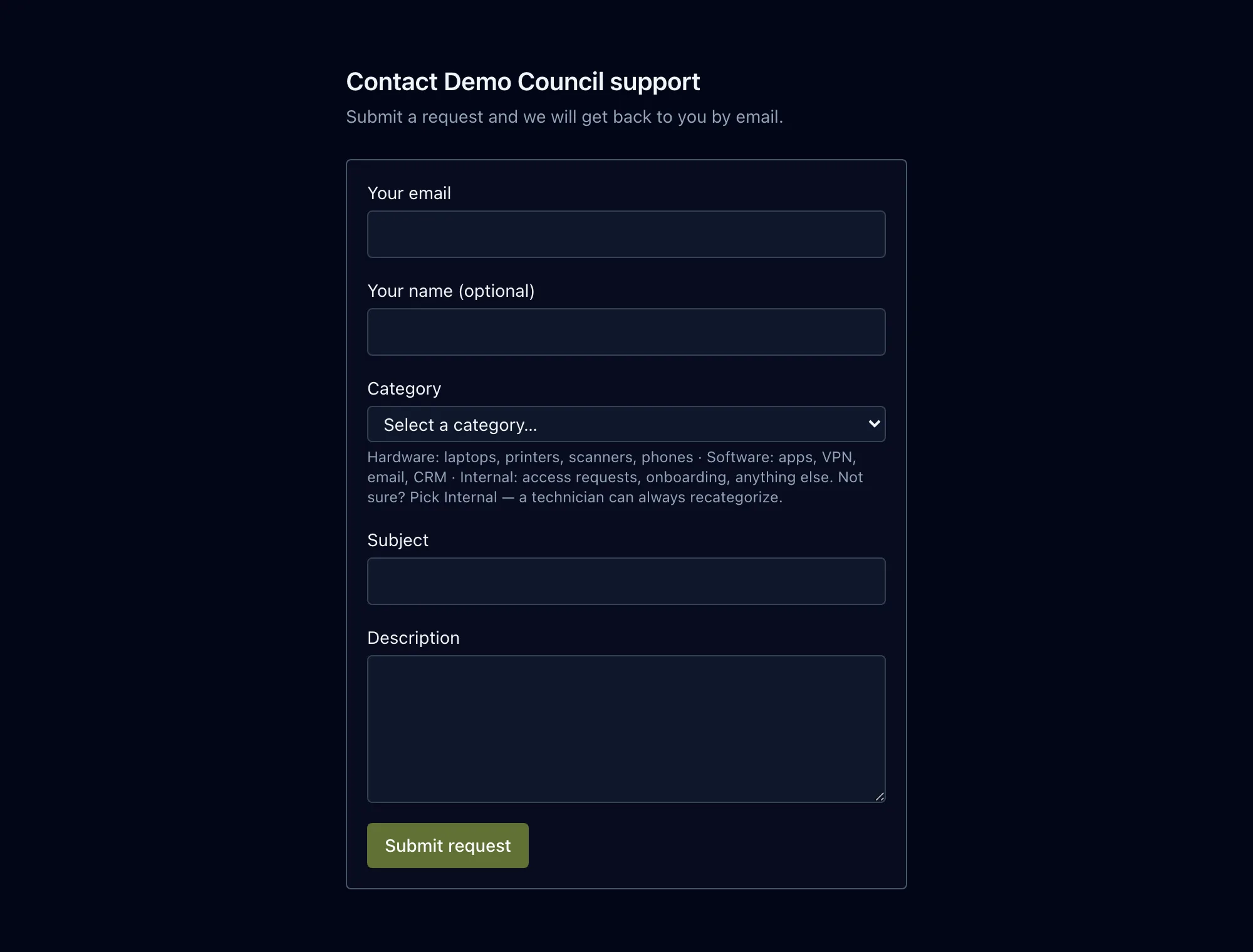
End-user portal
Requesters sign in, pick a category, describe the issue and submit. The request lands in the right queue.
Ticketing and knowledge, together
SolviQueDesk brings ticketing, a knowledge base and AI-assisted support into one workflow, with a technician ready when the available knowledge is not the right fit.
Explore the serviceA requester describes the issue and follows its progress in one shared place.
Relevant knowledge can assist the response with its source. Otherwise, the request continues to a technician.
The technician records the resolution, and the requester can confirm the outcome and close the ticket.